How to Install Your Program
Install Your Program Step by Step
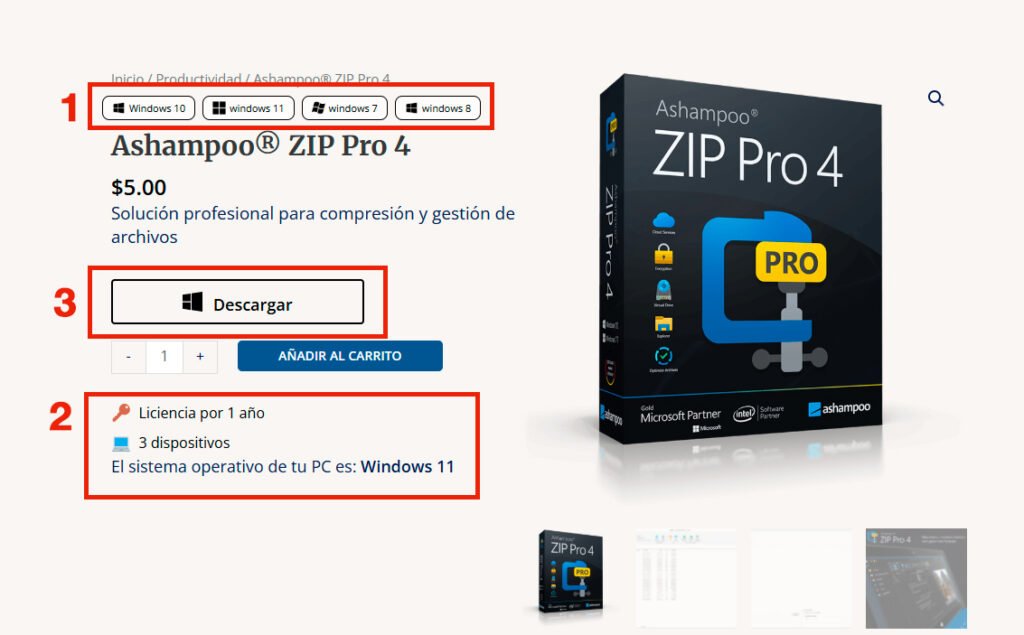
1 Identify the program compatibility at the top of the product page.
2. At the bottom, the license type, supported devices, and the Novatrading site will identify which operating system you have installed.
3. Once you have confirmed that your PC is compatible, download the program using the Download button.
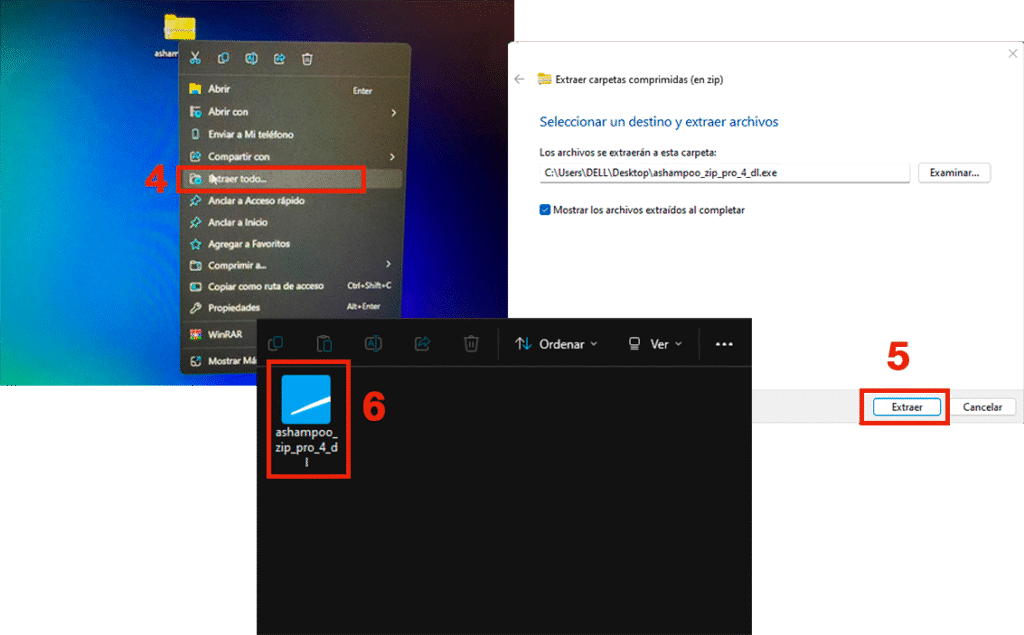
4. Once our program is downloaded, it will be in .zip format. Right-click on the file and select “Extract All.”
5. A new window will open. Click the “Extract” button.
6. Once the files have been extracted, double-click the program to run it.
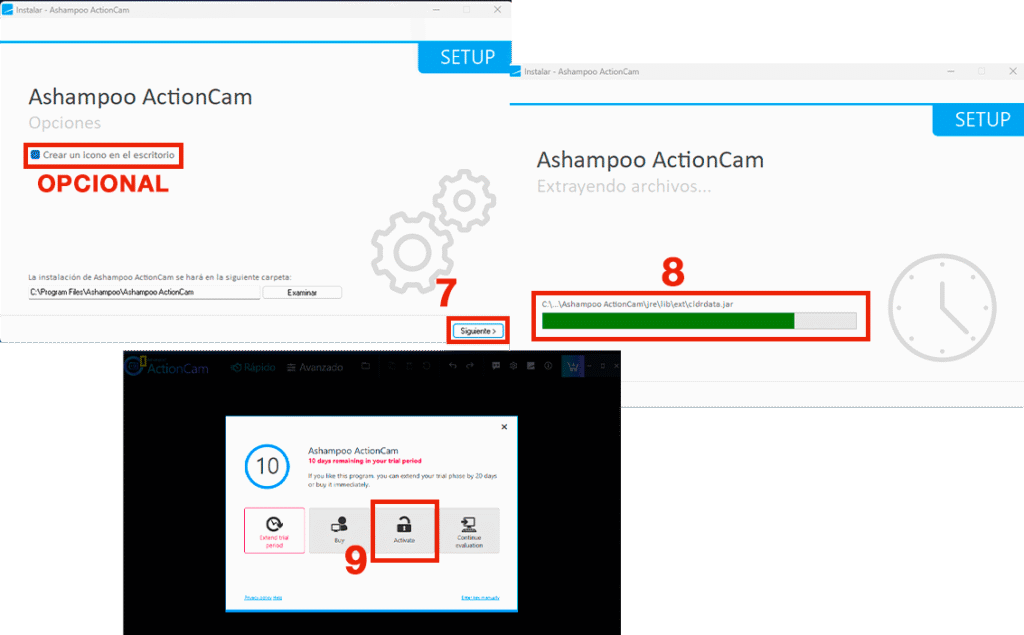
7. A new window will appear with the program installation. Click the “Next” button (there is an optional checkbox to create a desktop icon; we recommend selecting it).
8. The installation progress will be displayed.
9. Once the installation is complete, a window will appear with several options. Select the “Activate” option.
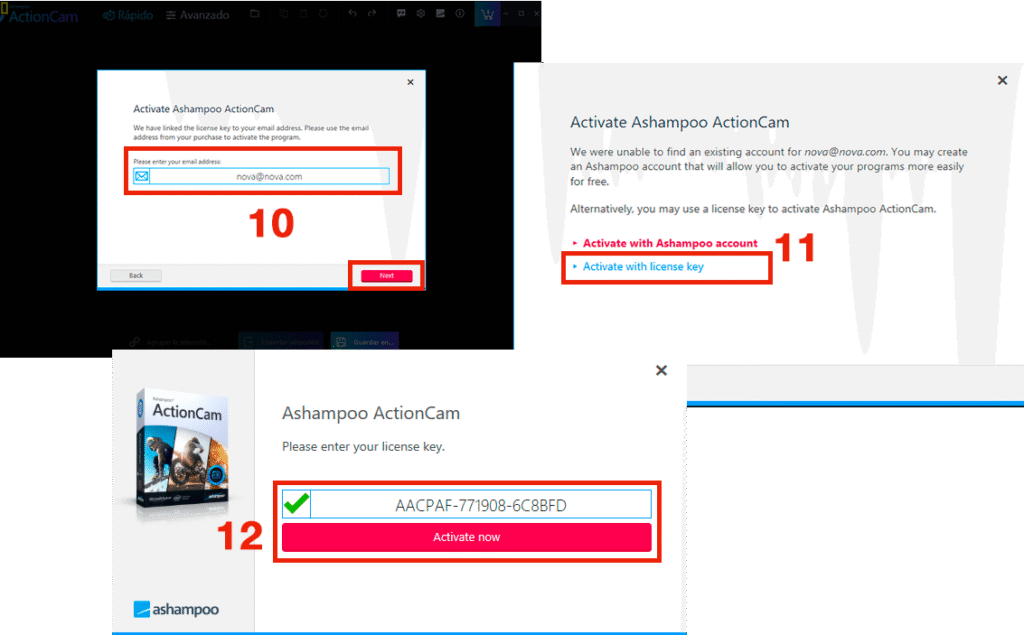
10. In this new window, enter an email address and click the “Next” button.
11. Select the option: “Activate with license key.”
12. Enter your license key including the hyphens, and click “Activate now.”
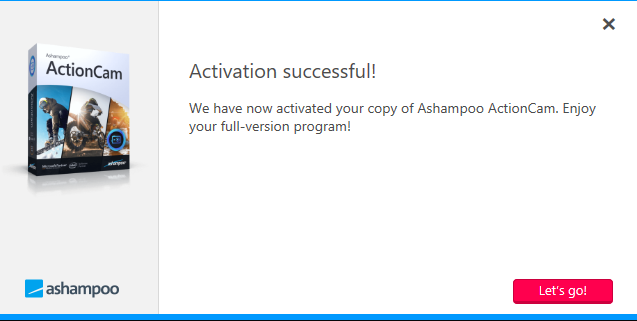
CONGRATULATIONS!
Your program is now installed. Just click the ‘Let’s go’ button and enjoy!