

OFFICE · PDF · 3D DESIGN
Productivity Software for Windows
Edit PDFs, work with office documents, compress files, and design in 2D and 3D with genuine Windows software.
Find the Right Software for Your Work
Explore office suites, PDF editors, screen capture tools, file compression software, and 3D design tools. Check each product page for features, license terms, and system requirements.
Start with the tasks you do most often and the file formats you share. Before you buy, check Windows compatibility, how many devices the license covers, and the license terms. Choose a tool that fits your work, studies, or freelance projects.
- Holiday Deals
Ashampoo Home Design 10
Original price was: $799.00.$179.00Current price is: $179.00. Add to cart



Why Use Productivity Software?
Document Management
Edit PDFs and work with office documents using dedicated tools.
3D Modeling and Architecture
Plan renovations, interiors, and architectural projects in 2D and 3D.
File Organization and Security
Compress large files and protect sensitive data with encryption.
Clear Communication
Capture screenshots and record your screen for guides, tutorials, and visual reports.
Compatibility
Choose Windows software and check the formats and requirements for each version.
Tools for Your Everyday Workflow
Manage documents, prepare presentations, organize files, or plan construction projects. Choose a tool based on what you need to do.
How to Choose the Right Software
Compare your everyday tasks and the level of precision you need to find the right tool.
| What Do You Need to Do? | Recommended Software |
|---|---|
| Edit, convert, and sign PDFs | PDF Pro 5 |
| Create documents, spreadsheets, and presentations | Office 9 |
| Record your screen and capture screenshots | Snap 17 |
| Compress files and protect them with a password | ZIP Pro 4.2 |
| Design homes, renovations, and interiors in 3D | Home Design 10 / Home Design 11 / Home Design Pro 11 |
| Create architectural plans in 2D and 3D | 3D CAD Architecture 12 / 3D CAD Architecture 14 |
| Work on professional CAD projects | 3D CAD Professional 12 / 3D CAD Professional 14 |
Why Buy Genuine Productivity Software?
Official licenses give you access to available support and help you avoid the risks of modified installers.
Check each product page for supported Windows versions, file formats such as PDF, DOCX, XLSX, or DWG, and license and update terms.

Tips for Working With Documents
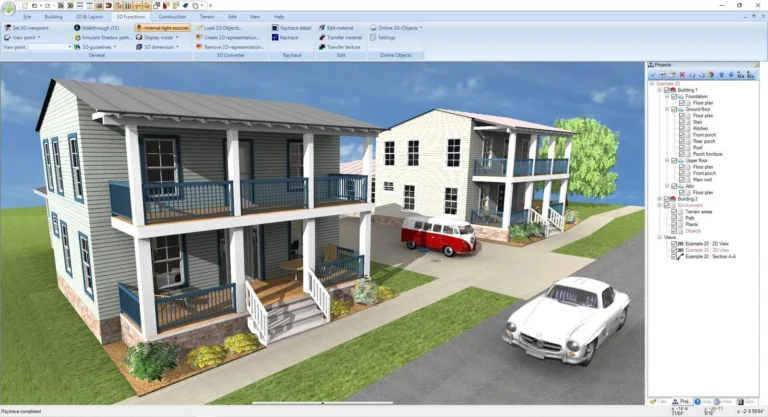
How to Choose CAD Software for 2D and 3D Architectural Design
Compare 2D drafting tools, 3D modeling features, file compatibility, ease of use, and licensing to choose CAD software that fits your architectural projects.
Read more: How to Choose CAD Software for 2D and 3D Architectural Design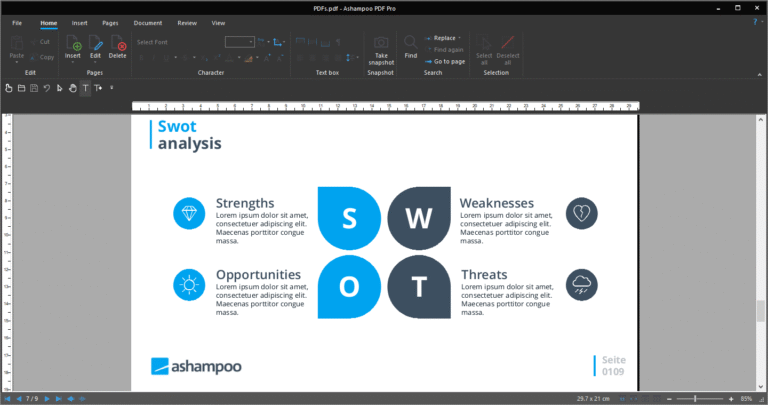
How to Edit a PDF Without Adobe Acrobat
Learn how to edit PDF text, organize pages, and work with scanned documents without Adobe Acrobat. Understand when you need OCR and how to…
Read more: How to Edit a PDF Without Adobe Acrobat
Adobe Acrobat Alternatives: How to Choose a PDF Editor
Compare PDF editing, conversion, security, page organization, and licensing to find an Adobe Acrobat alternative that fits your work.
Read more: Adobe Acrobat Alternatives: How to Choose a PDF EditorProductivity Software FAQs
What is productivity software?
Productivity software helps you complete work, administrative, or creative tasks. You can use it to edit documents, build presentations, manage files, or plan architectural projects.
Is Ashampoo Office 9 compatible with Microsoft Office files?
Office 9 supports DOCX documents, XLSX spreadsheets, and PPTX presentations. Support for advanced features can vary. Check the product page and test your files if you use macros or complex formatting.
What’s the difference between Home Design and 3D CAD Architecture?
Home Design focuses on planning, furnishing, and visualizing homes and renovations in 3D. 3D CAD Architecture and Professional offer technical drafting and architectural design tools. Compare editions to find the right fit.
Can I edit PDF text with PDF Pro 5?
PDF Pro 5 lets you edit text and images, reorganize pages, and work with forms. For scanned PDFs, check the text recognition features. Protected files may require permission or a password. Check the product page for signature options.
Why buy genuine productivity software?
An official license lets you use the software legitimately and access support and updates included in the license terms. Before you buy, check the Windows requirements, supported formats, and license type.
Find the Right Tools for Your Next Project
Get the software you need to handle everyday tasks, manage documents, and plan your projects.
You can also browse Digital Security, Multimedia and all products.