

Turn photo edits into reusable filters
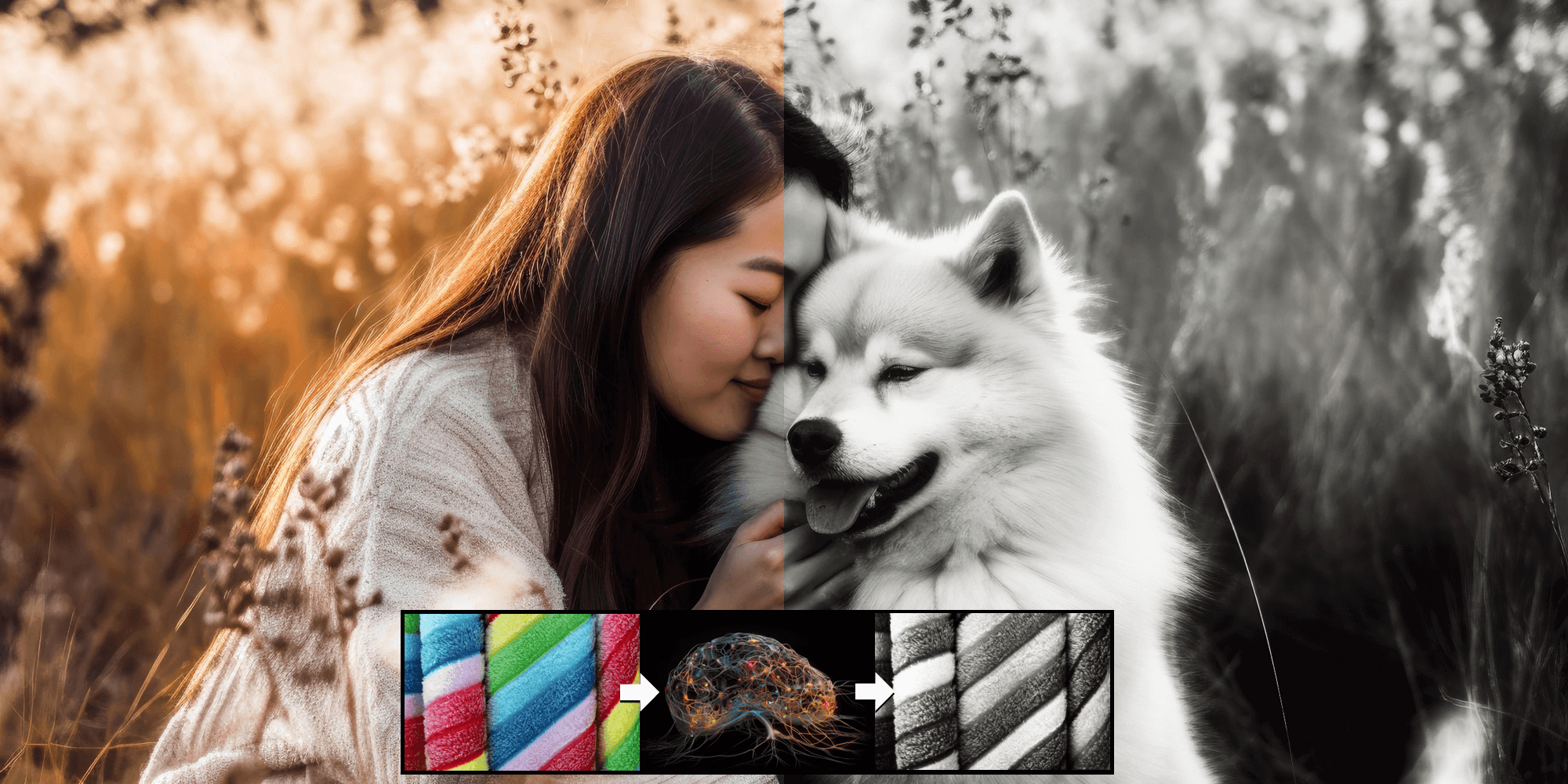
Ashampoo AI Filter #2 uses artificial intelligence to create custom photo filters from your edits. Instead of relying on preset looks, you can train it on a before-and-after image pair, save the resulting filter, and apply it to other subjects. In seconds, an edit you love can become a filter you can use again.
Create custom AI filters more easily
The AI engine analyzes the differences between the before and after images and automatically builds a filter. A single pair is enough to capture edits such as color grading, tone mapping, sharpening, noise reduction, and gradients. Save the result as a reusable filter and apply it whenever you need it.
- Create custom AI photo filters from a single before-and-after image pair
- Use AI to analyze and reproduce image edits
- Start with an AI filter library that includes 30 pretrained image styles
- Apply AI filters to individual images or batches
- Train on custom image gradients using a position grid with three levels
- Use Fourier features with two levels for lighting gradients and effects
- Speed up AI training with three levels of subdivision
- Choose from four image block sizes for more complex filters
- Adjust the AI network layer structure across four levels
- Prevent overfitting with automatic training validation
- Combine 30 presets with a blending assistant for creative results
- Work in a fully redesigned, customizable interface
- Add custom logos with the watermark tool
- Supports 1,358 camera RAW formats
- Get consistent, repeatable filter results with minimal post-processing
AI filter library, presets, and easy application
The built-in library includes 30 pretrained image styles so you can get started quickly and add your own filters anytime. Save, import, or export custom AI filters and apply them to single photos or entire batches. The 30 included presets can also be mixed with the blending assistant for quick custom looks.
Control training with automatic validation
Adjust the AI training duration to suit your project. Automatic validation tracks improvements and helps prevent overfitting, giving you consistent, repeatable filters without complicated manual adjustments.

New AI methods for creative effects
The position grid lets the AI learn specific image gradients at three levels. Fourier features train on lighting gradients and effects such as rays of light at two levels. An optimized subdivision method speeds up AI filter training.
Modern interface and practical extras
The redesigned interface is easier to navigate and offers customization options, including section dividers and eight heading colors. An integrated watermark tool lets you add your own logo. Support for 1,358 camera RAW formats gives you broad camera compatibility.



Reviews
There are no reviews yet.